
AI Disclaimer
This project was NOT made using AI as there is really no need too.
Personal Note
I wanted an environment where I can learn passively, how do you configure GPU drivers? what are the common commands used in the terminal? things like that. It also allows me to more closely integrate my life with open-source tooling which has overall made me more attentive to the open-source community which I am very happy about.
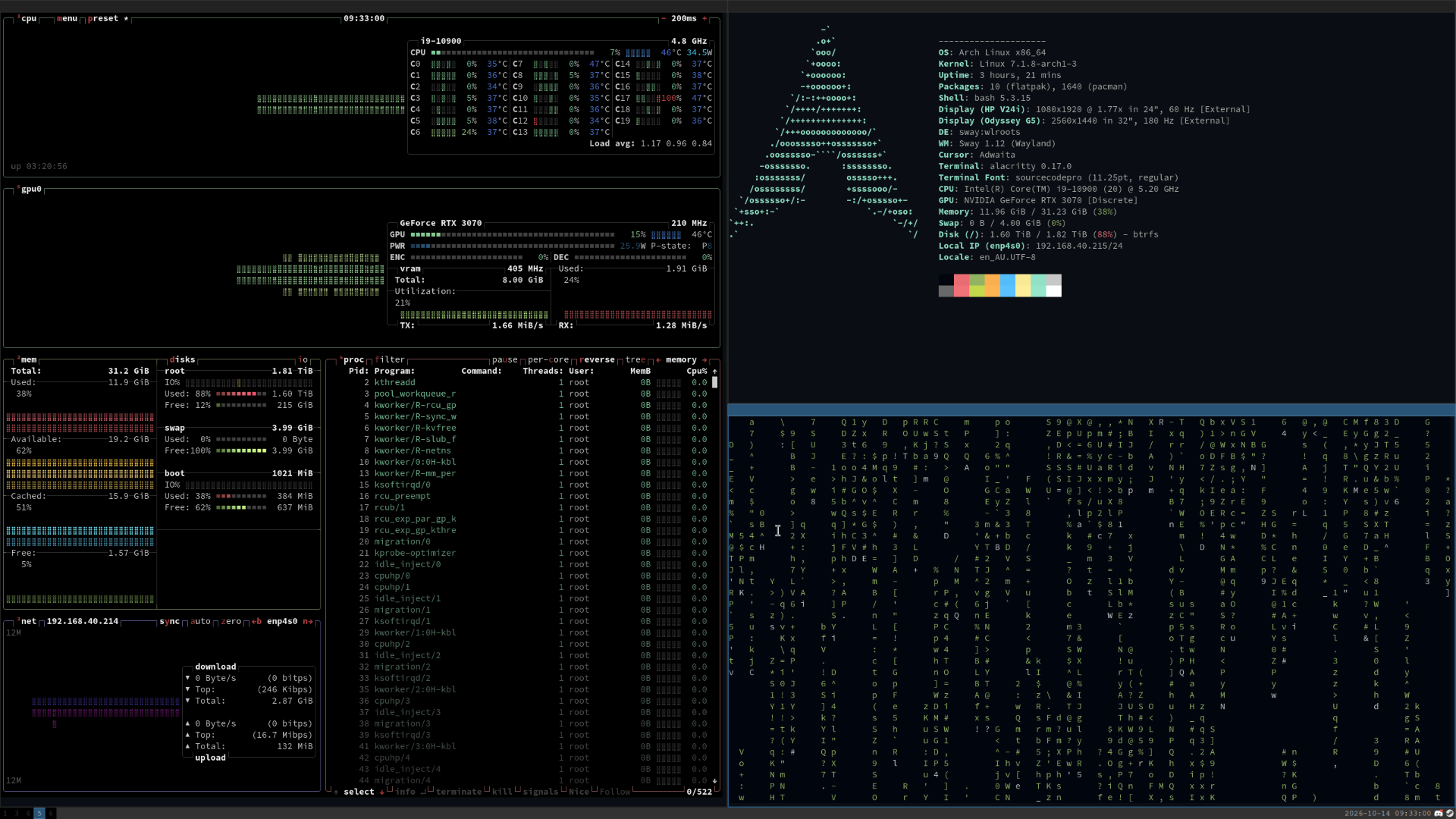
As you may see from the picture the desktop configuration is quite minimalistic. I used to rice my desktop quite a bit but it just lead to bugs and more maintainence rather than the task I am supposed to be doing which is programming!
I do not see myself switching from Linux anytime soon, I love it.
AI Overview
I built and maintain a personal Arch Linux workstation tailored to my development workflow. The system uses a minimalist Sway desktop, Wayland, the ly display manager and LUKS encryption. Applications that are incompatible with the host environment run in containers.
The workstation is working well for my current needs. Ongoing maintenance and a possible future rebuild keep it an active project.
Status: Operational; ongoing maintenance · Stack: Arch Linux, Sway, Wayland, ly, LUKS
Problem and scope
I wanted an operating system that suited the way I work and gave me control over its configuration. The goal was a minimal, resource-conscious development environment, with less desktop overhead and more resources available for development tasks.
This is a local workstation project. Building and maintaining it has provided practical experience across installation, hardware configuration, access management and troubleshooting.
Architecture
| Component | Role |
|---|---|
| Arch Linux | Host operating system and package-managed application environment |
| Sway and Wayland | Desktop session using a Wayland compositor |
| ly | Lightweight display manager for login and session selection |
| LUKS | Encryption for configured storage volumes |
| Containers | Separate environments for applications incompatible with the host |
The desktop configuration follows the project’s minimalist approach. Containerisation provides a way to accommodate incompatible applications while retaining the chosen host environment.
Implementation highlights
- System installation and storage. Partitioning, package installation and LUKS encryption form part of the workstation setup.
- Desktop and hardware configuration. The environment combines Sway and Wayland with GPU and audio driver configuration.
- Access management. Working with users, permissions, SSH and SSH keys has developed my understanding of local and remote access.
- Configuration and maintenance. Bash, configuration files, package management and troubleshooting are part of maintaining the system.
- Application compatibility. Containers accommodate applications that do not work with the host environment.
Outcomes and learning
The result is a working workstation that suits my current needs and is running without known issues.
Maintaining the system has strengthened my Linux administration skills, from partitioning and driver configuration to permissions, SSH key management and resolving problems. It has also given me a better understanding of open-source technologies through regular use. Relying on those projects has created more opportunities to contribute and raise issues.
Next steps
I plan to rebuild the workstation from the ground up at a later stage, using the experience gained from the current installation and a clearer understanding of my requirements. There is no immediate rebuild timeline; the current setup continues to work well.