
AI Disclaimer
This is my old homelab configuration setup. No AI was used and everything was written and deployed by me. It used rootful docker compose and hosted services I used daily.
This was my old homelab. Though after a data deletion incident I went full AI and built out new infrastructure using that. Both approaches I found have their pros and cons but provisioning infrastructure yourself is definitely better for privacy and self-sufficiency.
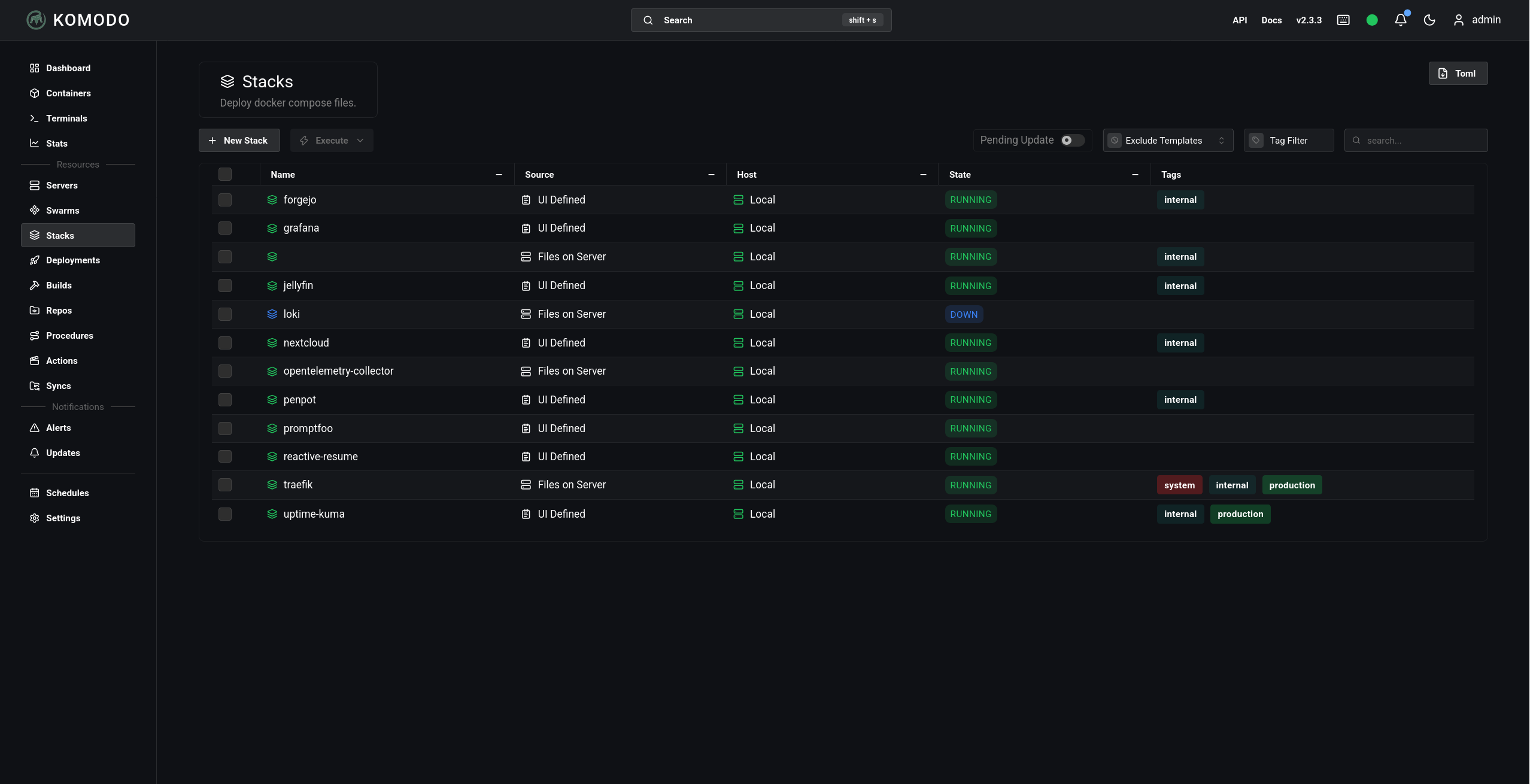
Anyways, to manage the containers I used komodo on rootful docker as rootless docker made it difficult to experiment with new technologies and services especially without AI. Komodo let me step away from the very time-consuming IaC process and let me deploy services very quickly and efficiently which was great.
AI Summary
My self-hosted infrastructure runs services I use daily while providing separate environments for learning and experimentation. It combines Proxmox virtual machines, Docker services managed through Komodo, and a network segmented with VLANs.
Within the homelab, I treat the main service VM as my production environment because it hosts essential tools such as Forgejo. Other VMs provide space to test technologies without using that daily-use environment as the playground.
Core stack: Proxmox, Debian, Docker, Docker Compose, Komodo, OPNsense, TP-Link switches, UniFi, Ansible, OpenTofu
Problem and scope
I wanted control over the services supporting my development workflow and everyday use, alongside an environment where I could explore new technologies. The infrastructure serves me and a small number of other users.
The service stack has become smaller over time, particularly on the main VM. I scaled it back to match what I actually need and can reasonably maintain. Services used across the project’s iterations include Forgejo, Jellyfin, Nextcloud, LiteLLM, promptfoo and a Minecraft server. The wider stack has also included Traefik, WireGuard, Authentik, Smallstep CA and YubiKey.
Architecture
| Component | Responsibility |
|---|---|
| Proxmox and virtual machines | Provide the main service environment and separate experimental environments |
| Docker, Docker Compose and Komodo | Run and manage containerised services |
| TP-Link switching and OPNsense | Carry network traffic and connect the segmented network |
| UniFi | Provide Wi-Fi |
| VLANs | Separate management, infrastructure, DMZ, trusted and untrusted environments |
| Uptime Kuma and LGTM stack | Provide availability alerts and observability |
The network carries traffic through the switches and OPNsense, with workloads and devices located in different VLANs according to their role. The VM layout separates essential services from experimental workloads.
Design decisions and operations
Much of the hardware consists of handed-down desktop computers. I modified them and bought replacement parts to reduce noise and make them better suited to the homelab.
The architecture has also become more modular. Trying to predict every future requirement made design difficult; I now prioritise components that can be changed as my needs develop.
Ansible and OpenTofu provide some infrastructure automation. I reduced the amount of infrastructure as code after finding that its maintenance overhead slowed deployment for the small number of services and users involved. The current approach balances automation with manageable day-to-day upkeep.
Service secrets are currently stored in environment files on the server. I experimented with rootless Docker and tested Podman, but did not migrate the existing Compose workloads because that transition proved too difficult for this setup.
Uptime Kuma alerts me when services have problems, while the LGTM stack provides observability. Infrastructure configuration is maintained without an automated test suite. Forgejo runners are an option for future CI/CD; those pipelines have not been implemented.
Outcomes
The homelab has streamlined my development workflow and given me more control over where services and data live. Keeping the deployment focused on what I use has made the infrastructure better suited to its actual scale.
Daily operation has provided practical experience with virtualisation, Linux administration, container deployment, network segmentation, monitoring and infrastructure automation. It has also developed my judgement about when additional tooling helps and when its maintenance cost outweighs the benefit.
Limitations and next steps
Forgejo currently remains on the main service VM. I did not originally plan for moving it elsewhere, and there is no temporary storage available to stage that migration.
Moving the instance will require additional storage planning and preparation to preserve its data. This limitation has reinforced the need to consider migration requirements alongside the initial deployment.